
Scope & packages
Packages for the architecture integration. You receive a binding fixed-price quote for your scope. Cloud print licenses are billed separately per user.
- Basic configuration of the Printix tenant
- Entra ID SSO integration & user sync
- Setup of up to 3 printers
- Client deployment via Intune (Windows/macOS)
- Everything in Essentials
- Location-based printer mapping
- Secure Print Release (via smartphone/PIN)
- Automated queue assignment via Entra ID groups
- Everything in Corporate
- Physical badge integration (RFID/NFC at the printer)
- Multi-site & multi-VLAN routing
- Delegated administration & custom reporting
Technical details
Details for technical validation.
Identity & SSO Integration
Building the identity bridge between Microsoft Entra ID and the cloud print platform. I set up single sign-on (SAML/OIDC) and enable user and group sync for fully automated lifecycle management.
- Entra ID Enterprise App Deployment
- SSO Configuration & Conditional Access Integration
- Group-Based Provisioning
Endpoint Deployment (Intune)
Zero-touch deployment. I package the print client as a Win32 app and a macOS LOB app and deploy it silently through Microsoft Intune to all managed devices. No manual driver installations by end users.
- Win32 / macOS App Packaging & Intune Upload
- Silent Install/Uninstall Parameters Setup
- Auto-Update Ring Configuration
Print Queue & Location Architecture
Designing the print queues. I configure network-based rules so that users dynamically see only the printers physically near them (IP range detection).
- Location-Based Mapping Configuration
- Cloud Print Queue Setup & Driver Management
- Fallback Routing Architecture
Secure Print Release (Zero Trust)
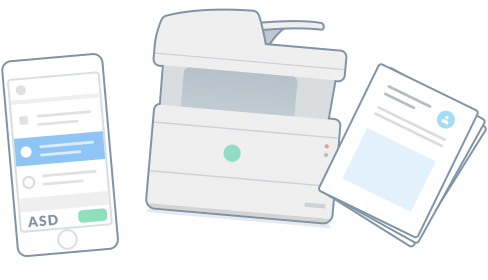
Implementing “pull printing.” Documents are printed only once the user authenticates in person at the printer (via smartphone app, PIN or company badge). This prevents unauthorized access to confidential documents.
- Secure Print Release Configuration
- Badge/Card Reader Integration (where supported by the hardware)
- Data Privacy & Retention Policy Setup
What this sprint does not include:
- Hardware maintenance: I do not sell, rent or repair physical printers. Paper jams, empty toner, hardware defects or physically mounting badge readers are matters for your local printer supplier.
- Specialty plotters & label printers: Connecting highly specialized production printers, Zebra label printers driven by the ERP system or large-format plotters is out of scope and requires a separate evaluation.
Benefits for your business
The ROI for management.
Frequently asked questions
Why a third-party tool and not Microsoft Universal Print?
Microsoft Universal Print is a good option, but it is limited to a monthly allowance of print jobs and often supports older printers that are not cloud-native only poorly. A platform like Printix covers your entire legacy hardware fleet, supports macOS natively and offers a predictable per-user pricing model.
Do the existing printers have to be replaced?
No. The cloud architecture is hardware-independent. Thanks to the local client on the laptops, even older network printers (without native cloud capability) can stay in use without problems and be managed in a modern way.
How do users sign in at the printer?
The user selects the print job on their computer. To actually print it (“release”), they go to the printer and scan a QR code with their smartphone, enter a PIN or hold their company badge (RFID/NFC) linked to Entra ID against the reader.
Are the SaaS licenses included in the sprint?
No. The sprint covers the technical tenant setup, the Intune deployment and the Entra ID integration. Cloud print licenses are billed separately per user (as a monthly or annual subscription).