M365 Backup &
Resilience
We set up an end-to-end backup strategy with Keepit for you: unlimited storage (Enterprise Unlimited), retention of your choice up to 99 years and data residency in the Zurich data center under the Keepit contract, relevant for the Swiss FADP (revDSG) and GDPR. From 25 licenses, the setup is free of charge; you only pay for the Keepit license with a contract term of 36 to 60 months. For smaller environments, we offer a fixed setup fee.

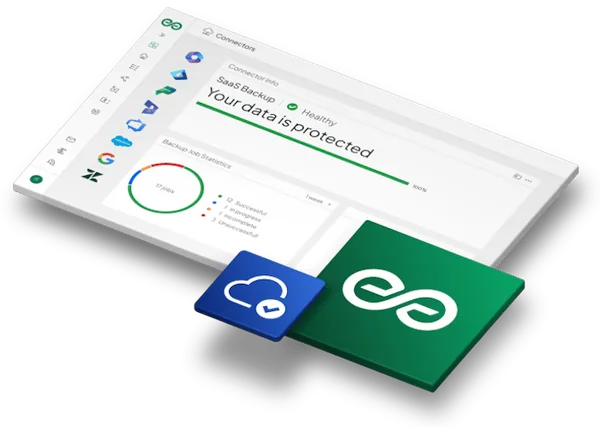
Technical details
Detailed implementation of the disaster recovery architecture, standardized and measurable.
Architecture (cloud-to-cloud backup of M365 & Teams)
Full connection of your Microsoft 365 tenant via the Microsoft Graph API for agentless backup.
- Provisioning of the dedicated Keepit instance in the Zurich data center
- Full backup of Exchange Online, SharePoint and OneDrive
- Complete Microsoft Teams architecture, including Planner boards and channel structures
Identity (Entra ID Object Recovery)
Backup of the critical identity metadata layer through Keepit’s own connector for Entra ID, which we list separately in the quote.
- Backup of Conditional Access policies, users and roles
- Backup of security groups and enterprise applications
- Preparation for recovery after a complete tenant compromise
Storage (Immutable Storage & Retention)
True physical and logical separation of risk domains.
- WORM technology: backup data is stored in a cryptographically immutable form
- Zero limits: no storage limits, retention of your choice up to 99 years
- Predictability: no complex storage calculations or growing cloud costs
Resilience (Disaster Recovery & Restore Simulation)
We validate the theory in practice.
- Live test: logged restore test with measurement of RPO/RTO metrics
- Runbook: creation of a detailed disaster recovery guide
- Handover: transfer of all audit and restore procedures
Business Case
The ROI for management.

Frequently asked questions
What needs to be in place before the sprint starts?
As soon as the Keepit licenses are ordered and your IT team provides a Global Administrator account once for the connection, we get started. After setup, we remove the Global Administrator role from the service account.
How exactly does Keepit licensing work?
Keepit licenses on a simple per-seat model (per M365 user). To secure the unlimited storage commercially, long-term contracts (typically 36 to 60 months) are the standard. From 25 licenses, engineering, setup and runbook creation by Flowbotics are completely free of charge in combination with the license purchase. For smaller environments, we offer a fixed setup fee.
Are there hidden costs for storage or traffic?
No. Unlike classic Azure or AWS storage models, Keepit Enterprise Unlimited has absolutely no additional costs for storage, data transfer or large restore operations.
How often are backups taken, and how fast is a restore?
Keepit backs up automatically, usually every 12 hours. Individual items such as a mailbox or a file are back within minutes. A full restore after an attack is slowed down by the Microsoft interface (Graph API): depending on the data volume, expect several hours. We record these values in the runbook.
How does long retention fit with data protection?
You set the retention period. Up to 99 years is possible, not mandatory. We configure it to match your retention obligations, for example ten years for business records. If a person requests deletion of their data, Keepit can carry this out selectively (right to be forgotten).
Is a restore test really necessary?
Yes. Only a successful restore shows that the backup helps in an emergency. The sprint therefore always includes a documented restore simulation (e.g., restoring a deleted Conditional Access policy) so that your IT can act with confidence according to the runbook in an emergency.
Does Keepit also back up our local servers?
Keepit backs up Microsoft 365 and Entra ID in the cloud. For local file servers, an on- premises Active Directory or virtual machines, we can recommend a suitable solution on request.
How much internal effort does this take?
Little: about 1–2 hours of your IT team’s time for access and for approving the restore test.
Who looks after the solution after the sprint?
Keepit backs up automatically. Your IT team checks the reports and restores data following our runbook. For later changes, you can book us on a time and materials basis.
Read more in the knowledge article: Microsoft 365 backup: What Microsoft does not back up